
Skip to content
Close
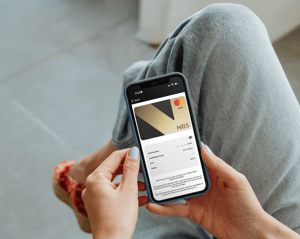
Woman holding phone mockup_Dynamic security code_Expanded-JUN-26
Online Safety

Dynamic Security Code  

Dynamic security code in NBS Mobile Banking app.


 For safer online shopping.

What is a dynamic security code?

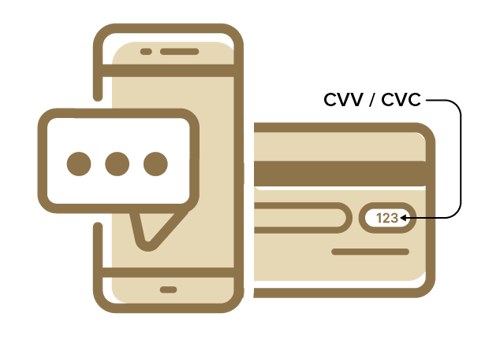
A dynamic security code, accessible through the NBS Mobile Banking app is another way we help give you greater protection against fraudulent transactions. The dynamic security code is valid for just 24 hours before it expires. It can be used when shopping online instead of the three digit code (sometimes known as CVC or CVV) on the back of your card. This makes your card details useless to scammers who may have intercepted older card data.
NBS_DynamicCVV_Phone+Card


How it works

The three digit temporary code works in the same way as the three digit code printed on the back of your physical card – only it changes every time you access your card details in the NBS Mobile Banking app. You can use this number when completing online transactions instead of the code on the back of your NBS Debit Mastercard®.

Because the code is only valid for a 24 hour period, it provides greater protection should your card details be stolen online.

NBS_DSC-Icon-Protection

Greater protection


The three-digit dynamic security code expires 24 hours after being viewed.
This helps to reduce fraudulent transactions if your card details are stolen online. By the time a fraudster
attempts to use your card, the code will have expired and the fraudulent transaction will fail.

NBS_DSC-Icon-Convenient

Convenient


Carry out online transactions all from the NBS Mobile Banking app without the need of your physical card.

NBS_DSC-Icon-Secure

Secure


All your details are safely secured in the NBS Mobile Banking app.

Where can I find the dynamic security code and card details?


The dynamic security code is only available in the NBS Mobile Banking app.


  1. Login to the app.
  2. Select Cards.
  3. Select Manage Cards.
  4. Select your card.
  5. Select Show Card Details.
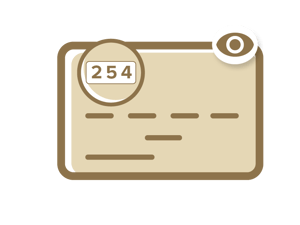
  6. Select the eye icon and the card details including the dynamic security code are viewable.
  7. You can now copy all details of the card including the dynamic security code.

How do I use the dynamic security code?

When completing an online transaction, instead of entering the three digit code from the back of your physical card, you can enter the dynamic security code found within the NBS Mobile Banking app. If you don’t have a mobile device with you at the time of your transaction, you can still use the code printed on the back of your card.

Use the dynamic security code for online purchases or when you first set up a recurring payment eg, signing up for a subscription.

Online safety

  • Always keep your passwords safe and never share your full card details

  • If you think your card details have been stolen or you see transactions on your card that you don’t recognise or suspect are fraudulent, place a temporary block on your card via internet banking or the NBS Mobile Banking app

  • The next step is to call us as soon as possible on 0800 101 700 or visit your local branch to discuss your situation

  • We’ll never ask you to share your secure banking information (passwords or PIN details) and we’ll never send you a link to access NBS Internet Banking of the NBS Mobile Banking app

  • Always access your online banking through the NBS Mobile Banking app or NBS Internet Banking on our website, never from links in text messages or emails

Read more useful information on how to stay safe online here: