Skip to content
Close
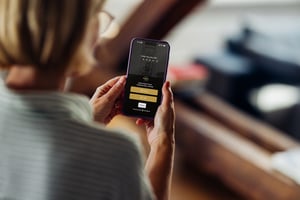
NBS_MFA-App-hero-mockup_web-res
Online Safety

Multi-factor authentication

Multi-factor authentication (MFA) coming soon for NBS online banking services

From 16 September 2026, we're introducing multi-factor authentication (MFA) to NBS online banking. 

As scams and online fraud continue to increase, we're taking additional steps to help protect your account and personal information. MFA adds an extra security check when using online banking, helping us confirm it's really you accessing your account. 

From 16 September 2026, keep safe questions will disappear and you’ll need to: 

  • Install software updates as soon as they arrive 
  • Keep your phone's operating system current
  • Keep your contact details with NBS up to date


The good news?

Most clients can be set up in just a few minutes.

And if you'd like some help, we're here to support you every step of the way.

Important to know


Why are we making this change?

Online criminals are becoming more sophisticated.

Passwords alone are no longer enough to protect online accounts. Multi-factor authentication adds an extra layer of protection by requiring a second step when you complete certain actions online.

That means even if someone obtains your password, it's much harder for them to access your account. 

What can I do to make this change smooth?

1. Please check your contact details with NBS are up to date.

To help make sure MFA works smoothly for you, please check that the email address and mobile phone number we hold for you are up to date. If your details have changed, or you are not sure what details we have.

  • Log into internet banking or the mobile app

  • Go to the Secure messaging section and

  • Send us a secure message with your current contact details

Alternatively contact your local NBS branch or get in touch with our team so we can update them for you. 


2. Ensure your devices is secure

  • Use a strong PIN, face ID or fingerprint lock

  • Turn on auto-lock so your screen turns off fast

  • Install software updates as soon as they arrive

  • Keep your phone's operating system current 

What will I need to do when MFA launches?

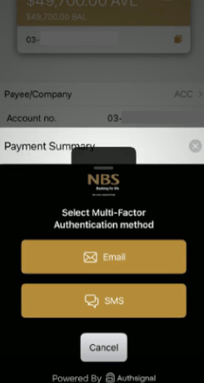
When you log into online banking and complete a certain action, like create a payee or PIN your debit card you'll be challenged to authenticate with multi-factor authentication.

We'll share a list of actions closer to the launch date.

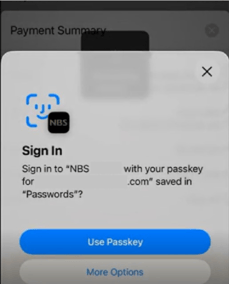
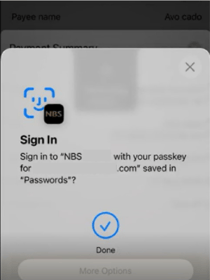
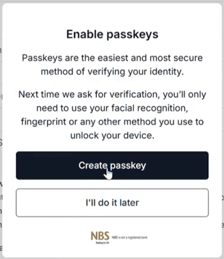
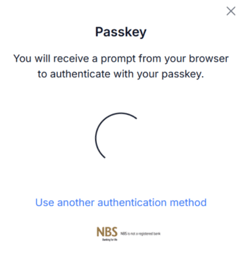
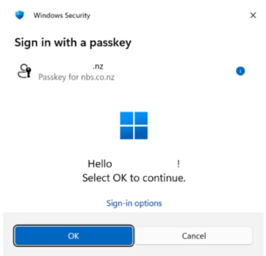
MFA using a passkey

To sign in securely, use your:  

  • Fingerprint
  • Face ID
  • Device PIN 

This is good for:

  • Clients already using these features
  • Clients who want the fastest, simplest method for online authentication
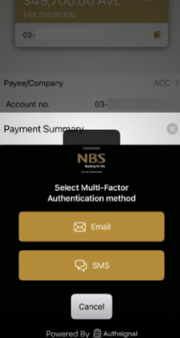
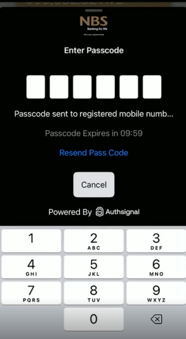
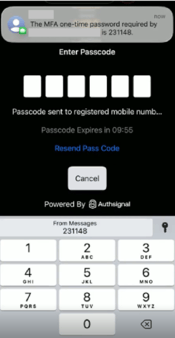
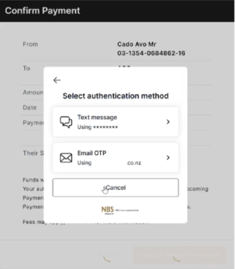
MFA using text or email message

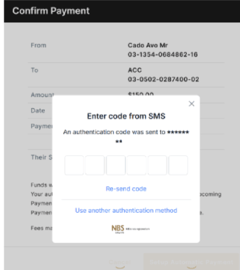
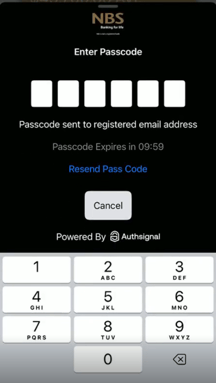
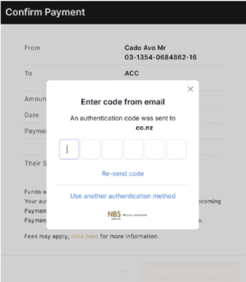
Receive a one time code by text or email message and enter it when logging in. 

Good for: 

  • Clients looking for an option not impacted by the device you use to login with 

  • Clients who don’t regularly login 

Which authenticator option should I choose?

There is no right or wrong option. Choose the one you feel most comfortable using. 

If you prefer…

Consider…

Strong security

Passkey

Fingerprint or Face ID or Pin to login

Passkey

Something simple and familiar

Text or email message

Still unsure? Our team can help you decide.

FAQs

What is MFA?

MFA stands for multi-factor authentication. It adds an extra security step when you log into NBS Internet Banking or the NBS Mobile Banking app. 

Do I have to use MFA?

Yes, from 16 September 2026 MFA will be required to access our online banking services. 

Will MFA cost me anything?

NBS does not charge clients for MFA. Normal mobile or internet charges from your provider may apply. 

Will I need to enter a code every time?

Depending on the option you choose and the device you're using, you may not always be asked to enter a code. Follow the prompts provided when you sign in. 

What if I forget my password?

Select Forgot Password from the login page and follow the prompts. If you need help, contact us. 

What if I change my phone?

If you're using an authentication app, you may need to reconnect your account on your new device. 

If you're using a passkey, your setup may depend on how your device stores passwords and security credentials. 

If you need help, contact us or visit a branch. 

What if my authentication code isn't working? Check that your device is set to update the date and time automatically. 

Authentication codes rely on accurate device time. 
What if I don't receive my text message code? Please: 
  • Check your mobile coverage 
  • Confirm we have the correct mobile number for you on record 
  • Wait a few minutes and try again 
If the problem continues, contact us. 
What if I'm overseas? Some overseas numbers may not receive certain text messages. 

You may find an authenticator app or WhatsApp-based verification easier while travelling. 
What if I lose my phone? If you've set up more than one MFA option, you may be able to use another method to log in. 

If you're unable to access your account, contact us for support. 
What if I don't use a smartphone? Please contact us. We'll talk through the options available and help you find the solution that works best for you. 
I'm not very good with technology. What should I do? That's completely okay. 

Visit your local branch, contact our team or attend one of our workshops. 

We'll guide you through the process step by step. 
Is this a scam? No. 

This is a genuine NBS security improvement designed to help protect clients from fraud and scams. 

If you're ever unsure, contact NBS directly using the phone number on our website or the back of your card. 
At NBS, we’ll never ask you for your secure banking information (passwords or PIN details), ask for your authentication code, passkey or recovery codes. We’ll never send you a link to access NBS Internet Banking or the NBS Mobile Banking app. If we ever ask you to log in to NBS Internet Banking, you should do this by typing nbs.co.nz directly into your browser address bar.
 
Never share your secure banking information with anyone.
If anyone asks for these details, stop the conversation, do not provide any information and contact NBS immediately.
NBS_About-Get-in-touch_Banner_v2
UNANSWERED QUESTIONS
OR NEED MORE INFORMATION?

We're here to help.